
QR table ordering
Every table gets a printable QR code. Guests scan, browse the menu and order straight from their own phone — no app, no waiting for a waiter to be free.
Restaurant management, reinvented
Guests scan a QR code and order from their phone. The kitchen and bar see it the instant it's placed. Waiters, store managers and admins stay in sync. Get paid per round, on an open tab, or on a running tab the waiter collects — and your data exports in one click, no lock-in.
Features
Every table gets a printable QR code. Guests scan, browse the menu and order straight from their own phone — no app, no waiting for a waiter to be free.
New orders land on the kitchen and bar screens instantly, colour-coded by age with a sound alert — so nothing sits forgotten during the rush.
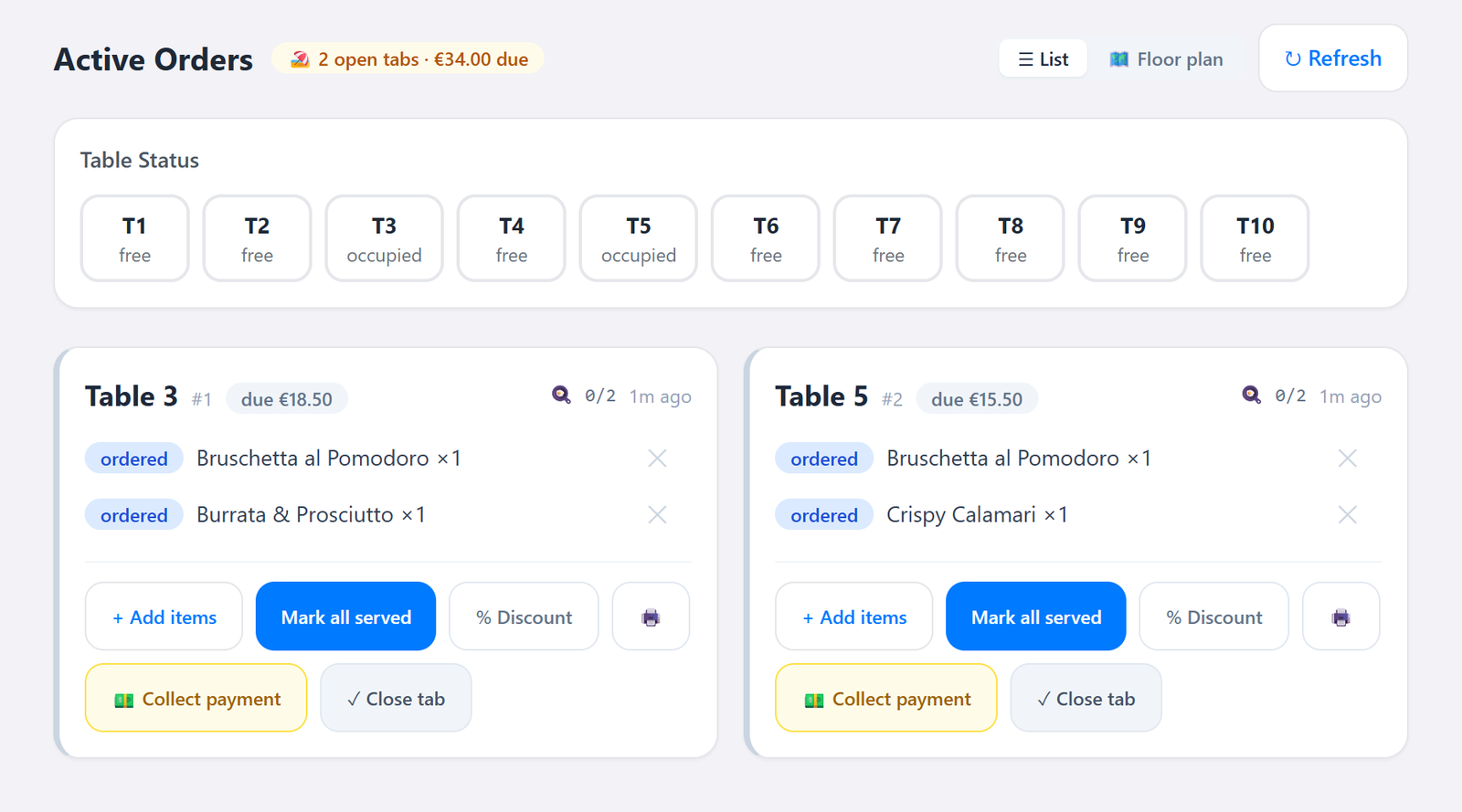
See every open table at a glance, mark items served, add extra items to a running order, and get notified the moment a table asks for the bill.
Pay in full, split a table's bill across guests, or mix cash and card — with tips tracked per payment. The order closes automatically once it's covered.
English, Bulgarian, Romanian, Greek and Turkish, out of the box. International guests order in their own language without you lifting a finger.
Order history, revenue and daily reports are ready the moment you need them — plus week and month views compared to the previous period, and a balanced journal export for Business Central at close.
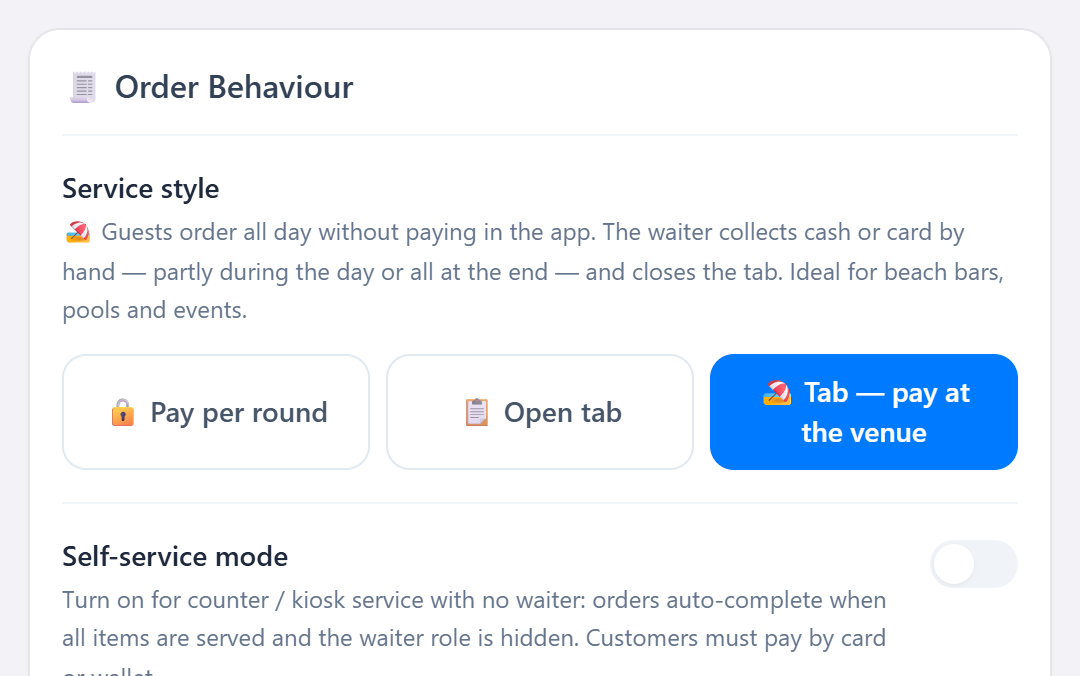
Pay per round, an open tab settled in the app, or a running tab the waiter collects — made for beach bars, pools and events. Guests settle what they've ordered so far as often as they like, the tab stays open, and you close it at the end.
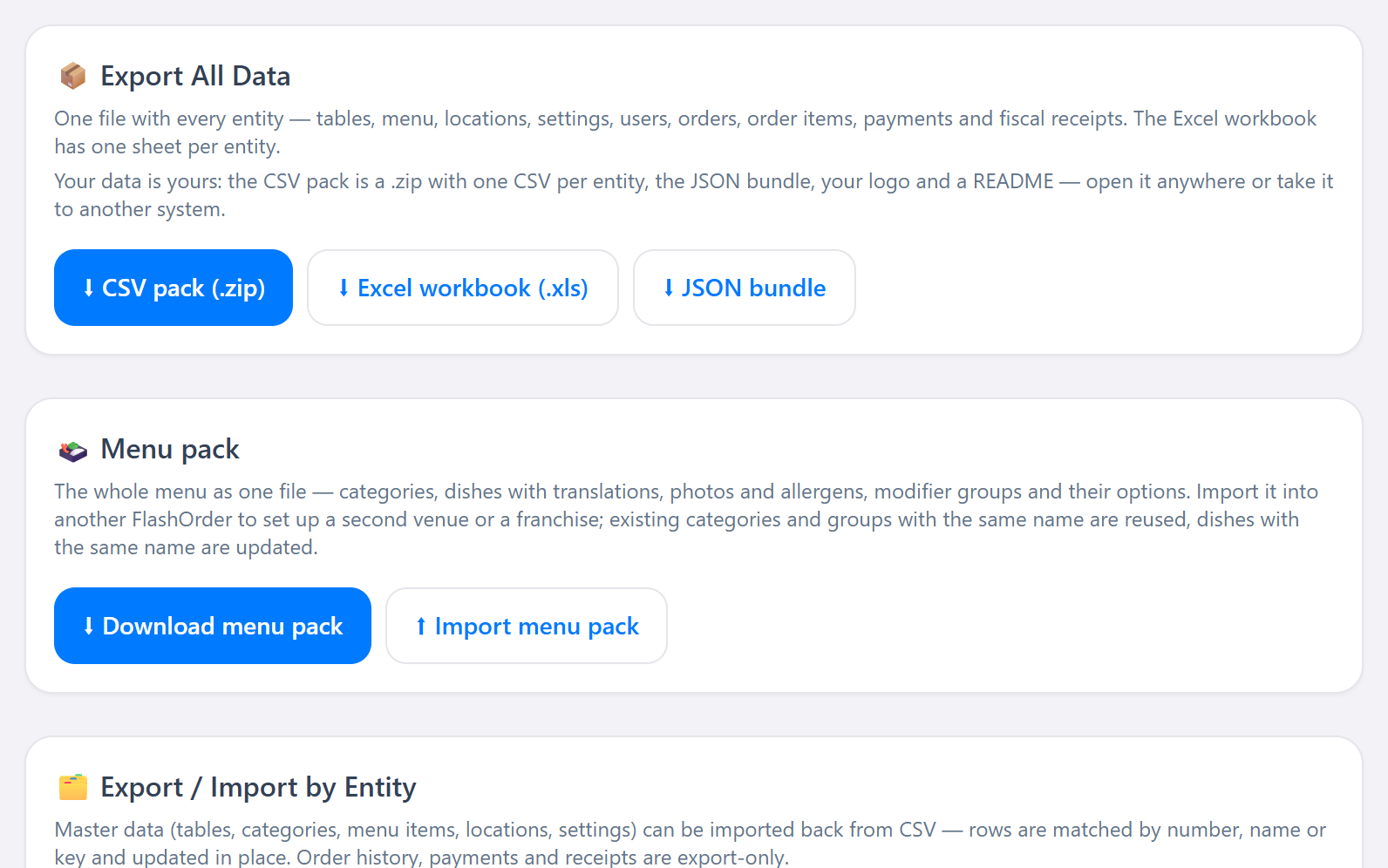
One click exports everything: a .zip with a CSV per entity, the full JSON, your logo and a README — plus an Excel workbook, JSON and nightly backups you can download any time. No lock-in.
A 💬 button on every staff screen files bugs and wishes with screenshots, straight from the floor. The FlashOrder team answers in the thread.
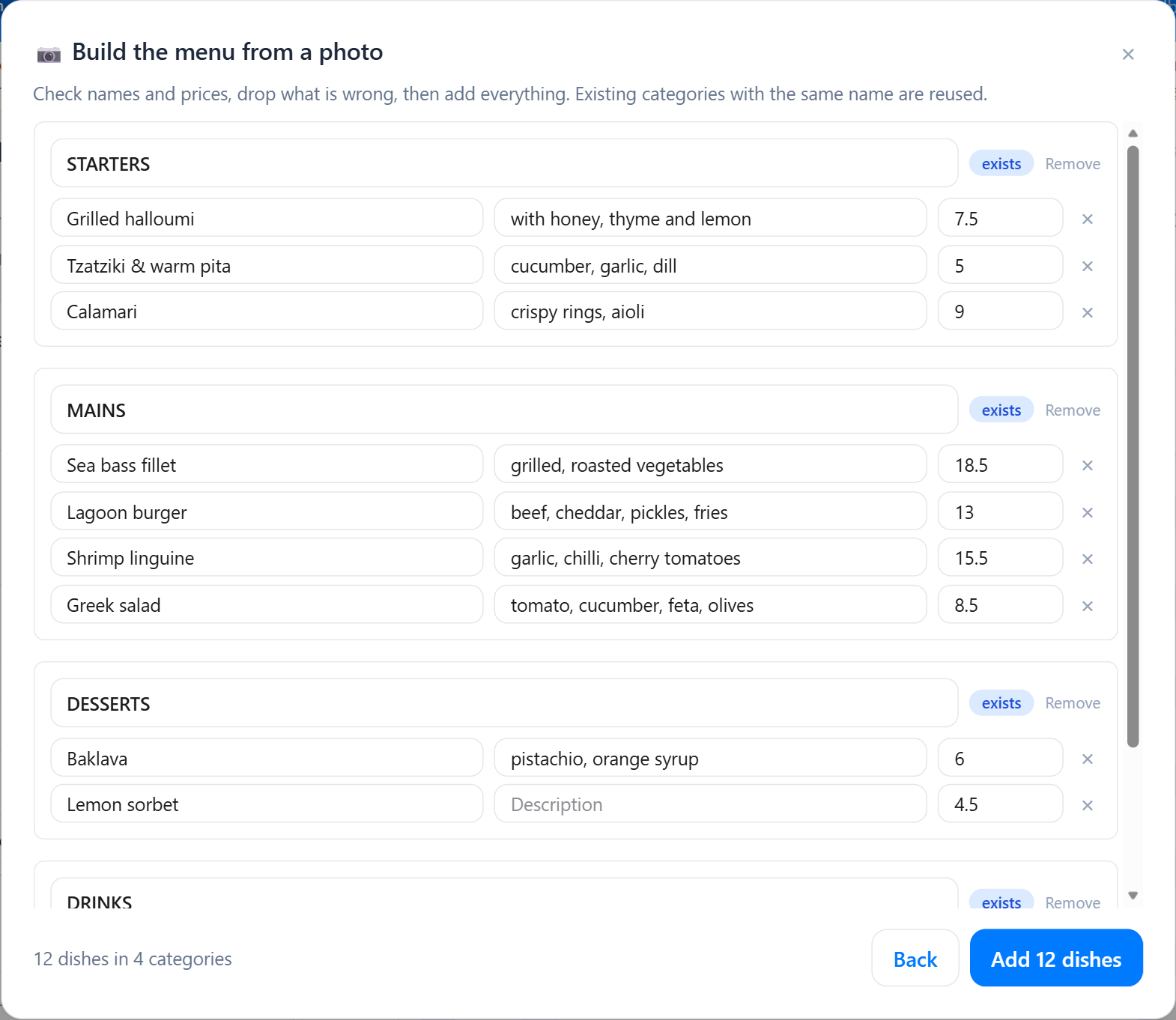
Photograph the printed menu or drop its PDF — the assistant reads categories, dishes and prices into a draft you correct, then everything is created in one step. Descriptions, four translations and allergen flags can be written for you, dish by dish.
Staff ask about today's sales, look up a dish or mark it sold out straight from the chat. Every evening a short written digest of the day lands in your inbox, unusual voids, discounts or slow tables are flagged under “Worth a look”, and guests see what goes well with each dish.
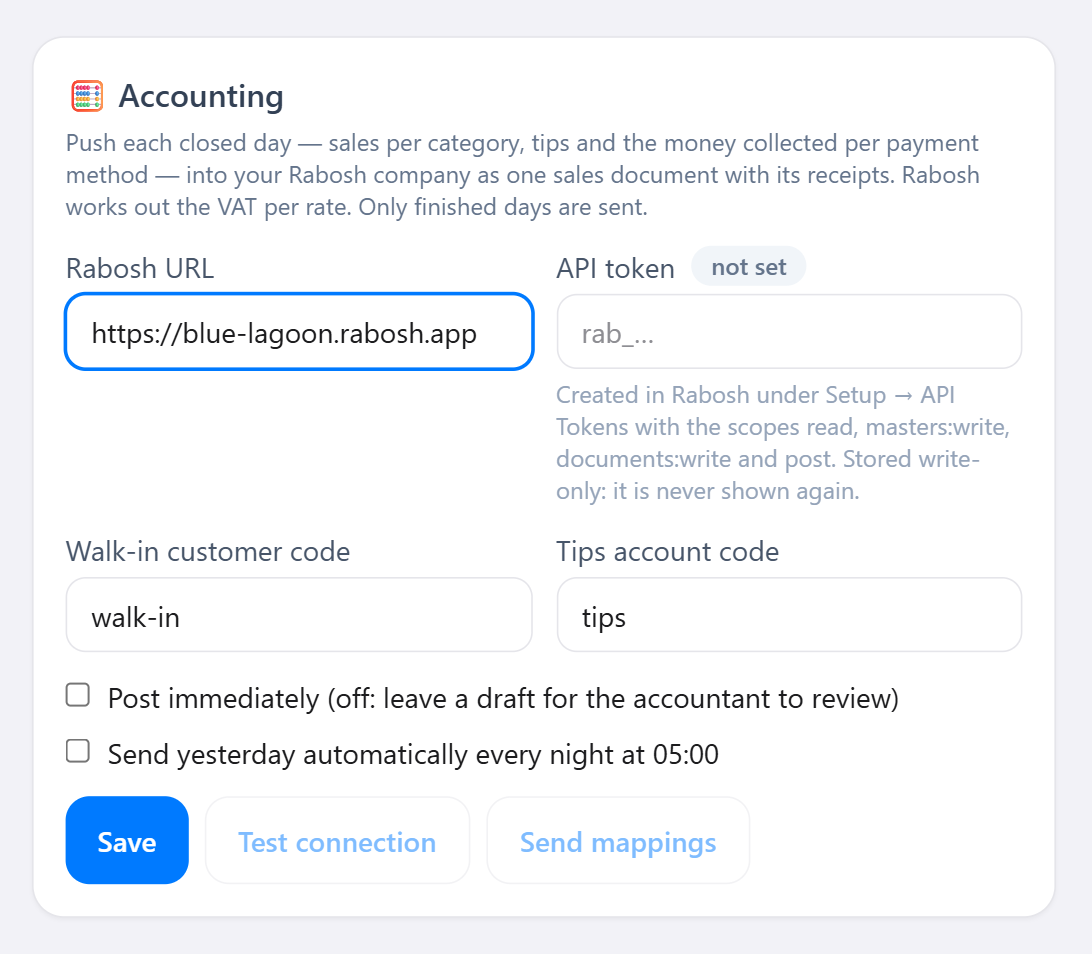
Each finished day goes to your Rabosh company as one sales document with a receipt per payment method — posted at once or left as a draft for your accountant, by hand or automatically every night. Sending a day twice never books it twice.
One system, six roles
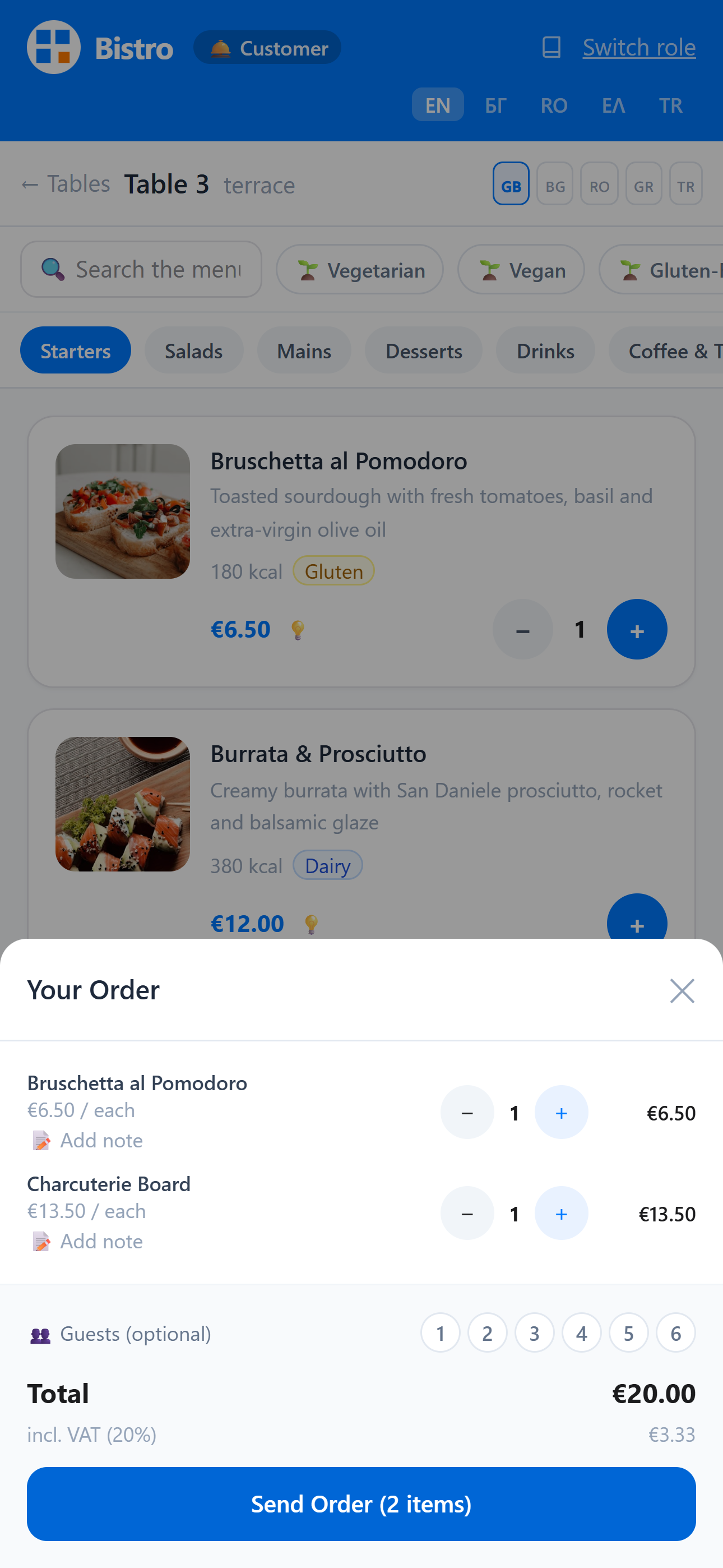
Scan the table's QR code, browse the menu in their own language — search it, filter by vegetarian, vegan or gluten-free, add a note to a dish — then pay in full or share the bill link so everyone pays their share from their own phone.
A live board of every open table. Update order status, add items on a guest's behalf, and collect payment — including partial payments on a split bill.
Incoming tickets appear the second an order is sent, colour-coded by how long they've been waiting, with a sound alert so nothing gets missed mid-rush.
Its own queue of drink tickets, separate from the kitchen, so bartenders only see what's theirs to prepare — and can mark it ready just as fast.
Daily reports, order history and revenue data without needing full admin access — the numbers a shift lead actually needs, at a glance.
A Getting started checklist, tables and printable QR codes, the menu with its translations and photos, staff accounts, reports and the accounting link — the full control panel for the venue.
In the app
How it works
Every table has its own QR code. Guests scan it on their own phone and land straight on that table's menu.
They browse, add items to the cart and submit — in whichever of the 5 languages they're most comfortable in.
Tickets appear instantly on the right screen. Items move from ordered → preparing → ready, visible to the waiter in real time.
The waiter marks items served and requests the bill. Guests pay in full or split it, cash or card — the table frees up automatically.
Your venue, your data
FlashOrder deploys to your own server or hosting account. Orders, menus and reports live in your database, with automatic rotating backups — not on a third-party platform holding your customer data hostage.
Self-service demo
Get a private FlashOrder instance with an empty menu — add your own dishes, print real QR codes, take test orders. Free, no sign-up beyond this form.
FAQ
No. FlashOrder runs entirely in the browser. Guests scan a QR code and order — nothing to download, nothing to sign up for.
English, Bulgarian, Romanian, Greek and Turkish are built in. Guests switch languages themselves from the menu screen.
On your own hosting, under your own domain. FlashOrder doesn't hold your orders or customer data on a shared third-party platform.
Yes — daily reports export as a balanced journal in CSV or JSON, ready to import into Business Central or hand to your accountant. Rabosh users can post each finished day directly (see below).
Most venues are live the same day: the Getting started checklist walks you through name and logo, service style, menu, tables and QR codes — and you're taking orders.
Your demo stays up as long as you use it, and is automatically deleted after 14 days without activity. It's a sandbox — don't run a real venue on it.
Yes. Choose the service style per venue: pay per round, an open tab paid in the app at the end, or a running tab the waiter collects in cash or by card terminal. In tab mode guests can settle what they've ordered so far whenever they like — the tab stays open until you close it.
Yes. Admin → Data exports everything in one click as a .zip (a CSV per entity, the full JSON, your logo and a README), as an Excel workbook or as JSON — and the nightly backups can be downloaded at any time. There is no lock-in.
Yes, to Rabosh: each finished day is posted as one sales document with a receipt per payment method — immediately, or as a draft your accountant reviews — by hand from Reports or automatically at 05:00. Sending a day again is safe; it is never booked twice. For anything else, use the Excel, CSV and JSON exports or an API key.
Photograph it or drop its PDF: the assistant reads categories, dishes and prices into a draft you check, and everything is created in one step. You can also import a CSV, start from a sample menu for your cuisine, or move a whole menu between venues as a menu pack.
Tell us a bit about your venue and we'll help you get set up.